
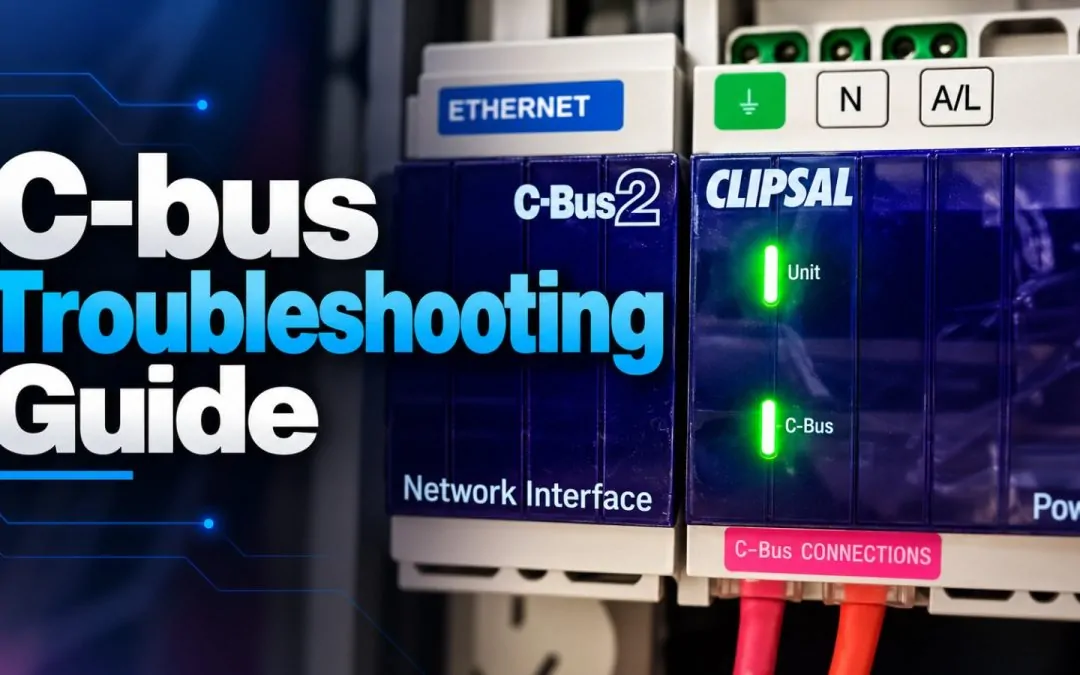
This is one of the most common calls we get from clients. A whole group of lights stops responding, or they won’t switch off/on from the switches, and the rest of the house works fine.
Sometimes the cause is relatively simple, such as a failed globe or tripped circuit breaker. In other cases, the fault may be within a keypad, C-Bus output unit, lighting circuit or the C-Bus network itself.
Your C-Bus lighting control system is made up of several connected components, including the controls you use to operate the lights: the switches (keypads, app or touchscreen), the C-Bus network carrying the commands and the output equipment controlling the lighting circuits which is the dimmer or relay units in your switchboard. A fault affecting any part of that chain can result in a light or lighting group not responding properly.
This guide specifically covers situations where you try to turn a C-Bus light on or off and it does not respond. If your lights are operating by themselves without anyone pressing a switch or sending a command, that is a different issue involving areas such as automation, timers, sensors or programming and is covered in our separate guide.
Work through the basic checks below in order. Each one can help narrow down where the problem is before you arrange a service call.
A quick safety note: You can safely reset tripped circuit breakers, test your safety switch, and use the manual override buttons on your C-Bus units. Anything beyond that, like removing covers or reprogramming units, is a job for a licensed electrician with C-Bus programming expertise.
Test 1: Try the lights from a different switch
Press the button for those lights on another keypad, your C-Bus app or touchscreen if you have one.
- The lights work from somewhere else: this helps narrow the problem down to the original control point or the way that control has been configured. Check whether its button LEDs or backlight are on. If the keypad is completely dark or unresponsive, it may have lost its connection or failed. A C-Bus technician can test the keypad, network connection and programming to determine the cause.
- The lights don’t work from anywhere: go to Test 2.
Test 2: Check if it’s one light or the whole group
Look at every light in that group.
- Only one or two lights are out: this is more likely to be a blown globe, failed LED driver or fitting issue rather than a fault affecting the whole C-Bus group. If the light uses a replaceable globe, you can check the globe first. If it’s an integrated LED downlight, the fitting or driver may need replacing by an electrician.
- The whole group won’t respond: go to Test 3.
The distinction matters because C-Bus generally controls a lighting group through an output channel. If every fitting on that group stops responding at the same time, the problem is more likely to be further upstream than an individual globe.
Test 3: Check your switchboard circuit breakers
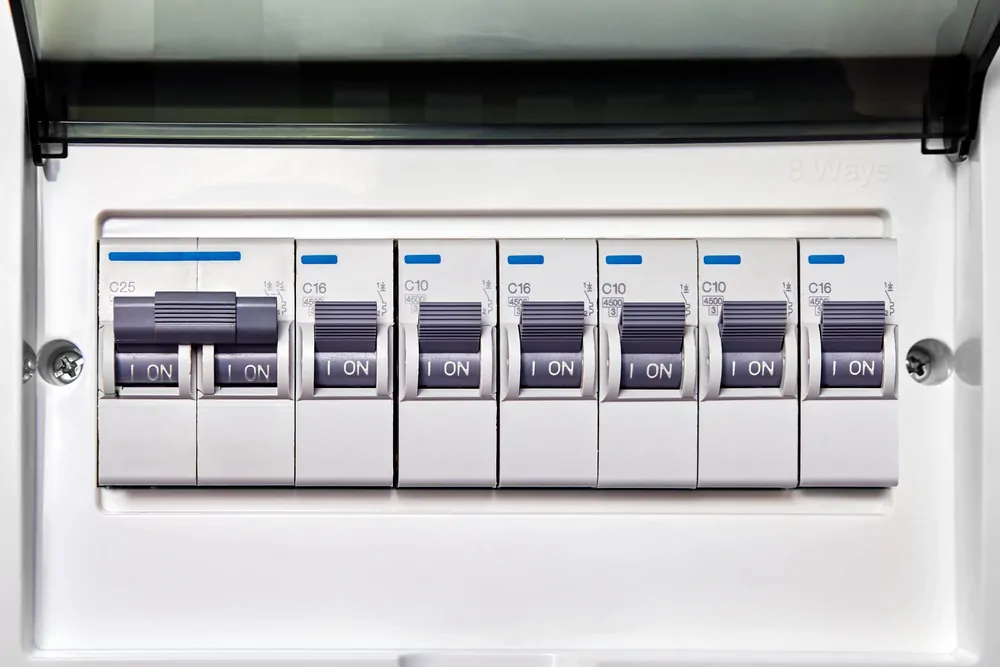
Open your switchboard door and look for any tripped circuit breakers or safety switches (RCDs). A tripped one may appear in the OFF or tripped position, depending on the device.
- One has tripped: if you can safely identify the affected breaker, switch it back on once. If the lights come back, you’re done. If it trips again straight away or within a few days continues to trip, stop resetting it. There’s likely a fault on that circuit and an electrician needs to investigate it.
- Nothing has tripped: the circuit has power, so the issue is likely on the C-Bus side. Go to Test 4.
In our experience, a tripped breaker after a storm or a blown globe is behind a good share of these calls. Always check this before anything else..
Test 4: Check how much of the system is affected
Try several other C-Bus lights around the home, from different keypads if you can.
- Only one light or group isn’t working: the fault is likely in that light, its channel or its circuit. Continue to Test 4.
- One keypad can’t control anything, but other keypads work: the problem is likely the keypad or its connection to the network.
- Several unrelated lights or the whole system aren’t responding: this points to a C-Bus network or power supply problem. Check the status LEDs on the units in Test 5. Then call a C-Bus technician.
Note what you find. Telling a technician whether it’s one light, one keypad or the whole system gives them a much better starting point.
Test 5: Check whether the C-Bus unit can switch the light locally
C-Bus dimmers and relays are the modules in your switchboard with small LEDs and buttons on the front. Most C-Bus dimmer and relay units have a small override button for each channel. It switches that channel’s lights on or off directly from the switchboard. Only use buttons you can reach without removing any covers.
First, check the C-Bus status indicator (below the Unit indicator) on each unit:
- On and steady: the unit has power and is connected to the C-Bus network. Move on to the channel button.
- Off or flashing on every/some units: the C-Bus network may have lost power or have a fault. This requires a qualified and licensed C-Bus technician to attend and diagnose the fault. Do not power reset the entire system as this can potentially cause further problems, depending on how old your C-Bus system is.
- It’s ok for the Unit indicator to be blinking around once every second as this merely indicates that the unit’s outputs have at some stage been manually overridden. This can be stopped by pressing and holding any one of the unit’s outputs for longer than around 2-3 seconds.
Then, if the unit has a button for each channel and you know which one controls the faulty lights, press it:
- The lights turn on: the channel, wiring and light fitting are working. The problem is in the keypad, the network or the programming, and a C-Bus specialist can test these properly.
- The lights don’t turn on: check the globe and that the circuit breaker hasn’t tripped. If it’s a dimmer, it may have overheated or be overloaded and shut down to protect itself, so give it 30 minutes to cool and try again. If it still doesn’t work, the channel or the light’s driver may have failed and needs a technician. If your home still has the earlier Halogen down lights installed, it’s very possible that one of these has failed and possibly taken the output channel on the C-Bus with it.
Consider whether the system needs professional testing
If you have completed the simple checks above and the affected lights still will not respond, further testing may require C-Bus diagnostic or commissioning tools.
If your installer has previously given you a documented reset procedure specifically for your C-Bus installation, follow those instructions. Otherwise, do not switch off unidentified breakers or the main supply simply as a troubleshooting experiment.
If the lights glow or flicker when “off”
If the lights won’t fully switch off but stay dimly lit or flicker, this may not be a C-Bus network fault. It’s common after swapping old halogen globes for LEDs.
LED lamps and drivers need to be compatible with the type of dimmer controlling them, and incompatibility can sometimes result in poor dimming, flickering or lights that do not appear to switch completely off.
- If the issue began after the lamps or fittings were changed, let your electrician or C-Bus technician know what was installed.
- If that doesn’t fix it, an electrician can fit a load correction device, or a programmer can adjust the dimmer’s minimum level.
- Although there are a number of different strategies a competently qualified C-Bus technician can try, there’s always a chance that the light fittings are simply not compatible with your C-Bus system. Your C-Bus technician should be able to provide further advice on this matter.
Quick reference
| What you see | Likely area to investigate | Who can help |
| Works from another switch | Faulty or disconnected keypad | C-Bus technician |
| Only one or two lights out | Blown globe or LED driver | You (globe) or electrician (fitting) |
| Breaker tripped, stays on after reset | One-off trip | Electrician if it trips again |
| Breaker keeps tripping | Wiring or fitting fault | Electrician |
| Channel button works, switches don’t | Control, network or programming issue | C-Bus programmer |
| Channel button does nothing | Output channel, overheated dimmer or circuit fault. | C-Bus electrician/technician |
| Several unrelated C-Bus groups stop responding | Possible wider network or system issue | C-Bus technician |
| Lights glow when off | Possible LED/dimmer compatibility or load issue | Electrician or C-Bus technician |
When you can fix it yourself, and when to call for help
You can usually fix it yourself if:
- A circuit breaker tripped once and stayed on after reset
- A globe has blown
Call a licensed electrician if:
- A breaker keeps tripping
- The channel button on the switchboard unit does nothing
- All the C-Bus unit LEDs are off or flashing after a reset
- You see scorch marks, smell burning or hear buzzing from the switchboard (turn off the power and call straight away)
Call a C-Bus programmer or technician if:
- The lights work from the switchboard button but not from your usual C-Bus keypad, app or touchscreen
- Buttons control the wrong lights
- You need changes to scenes, timers or settings you can’t access
- A whole C-Bus lighting group has stopped responding even though the lighting circuit still has power
- Several C-Bus controls or lighting groups are no longer communicating properly
- The issue appears to involve the C-Bus network, keypad, output unit or programming
- The basic checks above have not identified the cause
If you’ve worked through the tests and still need a hand, we look after C-Bus repairs in Sydney and C-Bus Clipsal programming for homes and commercial sites. Tell us which tests you ran and what you saw, and we can use that information as a starting point when diagnosing the fault.

Harry Simidis
Harry Simidis is the owner of Control Freq, a Sydney lighting control and home automation specialist. He has worked in the controls industry since graduating from the University of Technology Sydney in 1994 with a Bachelor of Engineering (Computer Systems), and is a CEDIA Certified Instructor.
Today he leads a team that programs, repairs and maintains existing Clipsal C-Bus systems, including older and undocumented ones, alongside Dynalite, KNX, DALI and RAPIX. He often lectures at industry events and is regularly published in industry magazines.