
You press a switch and the lights take a second or two to respond. Or a scene half-runs, the app lags, or a light flicks on by itself at 2am. A slow or laggy C-Bus system is frustrating, and it’s usually a sign that something on the network needs attention.
There are a few simple, safe checks you can do yourself before calling anyone. This guide walks you through them and explains when it’s time to bring in a C-Bus electrician or a C-Bus programmer.
What Usually Causes a Slow or Laggy C-Bus System
C-Bus devices talk to each other over their own network cable. When that communication is disrupted, commands take longer to get through, or don’t get through at all. In most cases, that’s what’s behind a slow or laggy system. The usual causes are:
- Failing or ageing C-Bus hardware. This is the most common cause. A failing or faulty C-Bus unit can disrupt communication across the whole network, not just the switch or light it controls.
- Third-party integrations. If your C-Bus is connected to another system (such as Crestron, Control4 or AMX), an integration that hasn’t been set up properly can flood the network with unnecessary traffic. This usually shows up from the start, rather than appearing out of nowhere months or years later.
- Changes to the system over time. Renovations, added devices or programming changes over the years can all affect how the network performs.
- The app or your home network, not C-Bus. Sometimes the C-Bus network is fine and the lag is only in the app, touchscreen or remote, caused by your Wi-Fi, the device or the app itself.
Other Signs of a C-Bus Communication Problem
If the lag is caused by a communication problem on the network, you may notice other symptoms too:
- Lights turning on or off by themselves at random times, day or night
- Button indicator LEDs on your wall switches flashing or alternating
- Scenes or schedules only partly working, or working some days and not others
These problems often start off intermittent, so they’re easy to ignore. Unfortunately, they generally get worse over time, so it’s worth acting early.
What You Can Check
These checks help you narrow down where the lag is coming from. None of them involve opening covers, touching wiring or changing settings.
- Work out what’s slow. Is it one switch, one room, or the whole house? Is it the wall switches, or only the app, touchscreen or remote? Jot it down, as this tells you (and anyone you call) a lot about the cause.
- Note when it happens. Is the lag constant, or only at certain times, such as in the evening or when a scene or schedule runs? Keep a quick log for a few days.
- Think about recent changes. Did the lag start after renovations, electrical work, new devices being added, a new app or integration, a power outage or a storm?
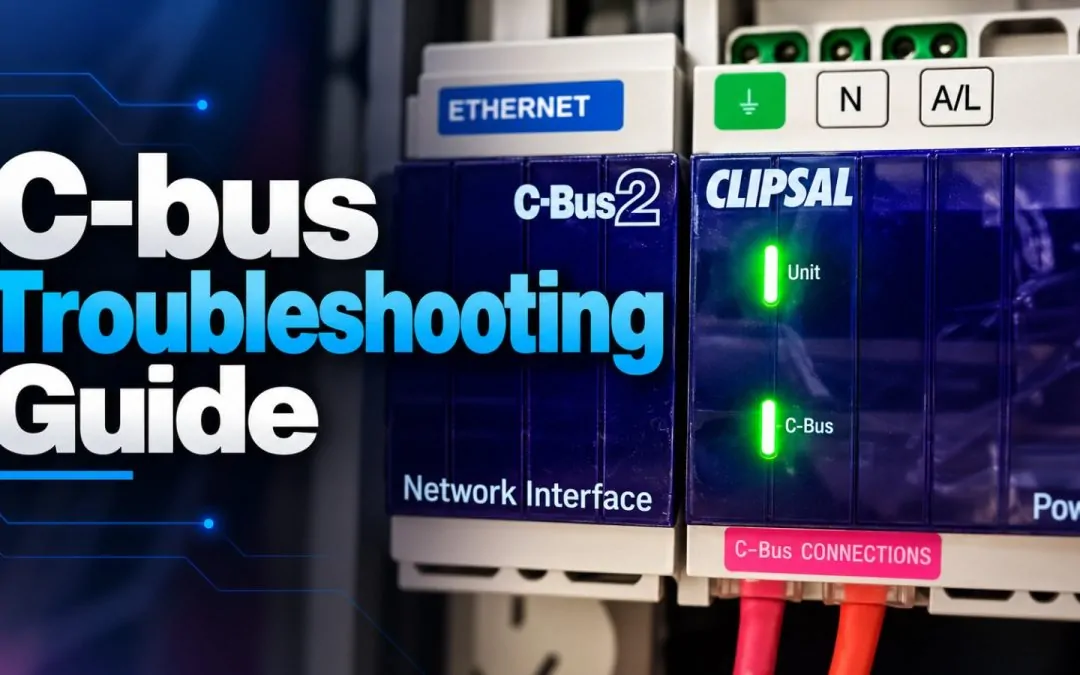
- Look at the C-Bus status indicators in your switchboard. Open the switchboard door (not the inner cover or chassis) and look at the C-Bus units on the DIN rail. Each has a small C-Bus status indicator light, which should be solidly on. If any are blinking, flickering or off, that points to a communication problem on the network. Take a photo. Look only: don’t remove covers, press buttons or switch anything off.
What You Can Do
If your checks show the lag is only in the app, touchscreen or remote, and the wall switches respond normally, try these:
- Restart your phone or tablet and close and reopen the C-Bus app.
- Check your Wi-Fi. Make sure your home internet and Wi-Fi are working normally elsewhere in the house. If not, restart your modem or router and test again once it’s back online.
- Update the app. Check your app store for any updates to your C-Bus app and install them.
- Undo anything you’ve added yourself. If the lag started after you linked a new app, voice assistant or smart device to your system, try disconnecting it and see if the lag goes away.
If the lag disappears, you’ve likely found your culprit. If it doesn’t, or if the wall switches themselves are slow, or any status indicators were blinking, the problem is on the C-Bus network itself and it’s time to call a professional.
When to Call a Professional (and Which One)
A slow or laggy system can have a hardware cause or a programming cause, so it pays to have it properly diagnosed rather than guessing. As a general guide:
- Likely a C-Bus electrician: If the wall switches are slow throughout the house, especially with blinking status indicators in the switchboard, the most likely cause is failing hardware disrupting communication on the network. Finding the faulty part takes a licensed C-Bus electrician with proper diagnostic equipment, not swapping parts at random.
- Likely a C-Bus programmer: If the lag only happens when certain scenes or schedules run, only affects control through a third-party system, or started straight after a programming change or new integration, the cause is more likely in the programming, such as an integration sending too much traffic over the network. A C-Bus programmer is the right person to review the setup.
- Often it’s both. Many slow systems involve a bit of both, for example, a faulty unit that needs replacing and then reprogramming. A specialist who handles both diagnostics and programming can save you from paying two separate people to investigate. It’s also a requirement by law, that any electrical investigation, changes and modifications to the C-Bus system are carried out by a licensed electrician with specialist qualifications in C-Bus.
Whoever you call, share your notes, the photos of your status indicators and anything that changed recently. It will help them get to the cause faster.
What Not to Do
- Don’t remove switchboard covers or touch any wiring unless you have an electrical license and are suitably qualified to do so. This is licensed electrical work.
- Don’t repeatedly switch circuit breakers off and on to “reset” the system as this could damage equipment further.
- Don’t attempt to reprogram the system yourself or let someone without C-Bus experience change the programming.
- Don’t ignore it. Communication faults usually get worse, and early diagnosis is generally simpler and cheaper.
Need a Hand?
If your C-Bus system is slow, laggy or acting on its own, Control Freq can help diagnose the cause and get it running smoothly again.
Our licensed technicians are legally qualified to open electrical boards, diagnose faults and carry out C-Bus repairs. Unlicensed C-Bus programmers cannot access distribution boards or live electrical wiring unless supervised by a licensed electrician.
Get in touch with our team to book an assessment.
Harry Simidis
Harry Simidis is the owner of Control Freq, a Sydney lighting control and home automation specialist. He has worked in the controls industry since graduating from the University of Technology Sydney in 1994 with a Bachelor of Electrical Engineering (Computer Systems), and has served as both a CEDIA board member and Certified Instructor.
Today he leads a team that programs, repairs and maintains existing Clipsal C-Bus systems, including older and undocumented ones, alongside Dynalite, KNX, DALI and RAPIX. He has lectured at industry events, is considered a subject matter expert in lighting control systems and has been published in industry magazines.